Advertisement
Home Blog Page 28

Documents by Readdle

Documents by Readdle is an app which allows you to organize files on your Apple device, and also allows you to import files from the web, cloud storage and your computer.
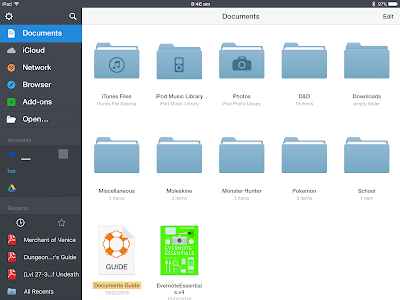
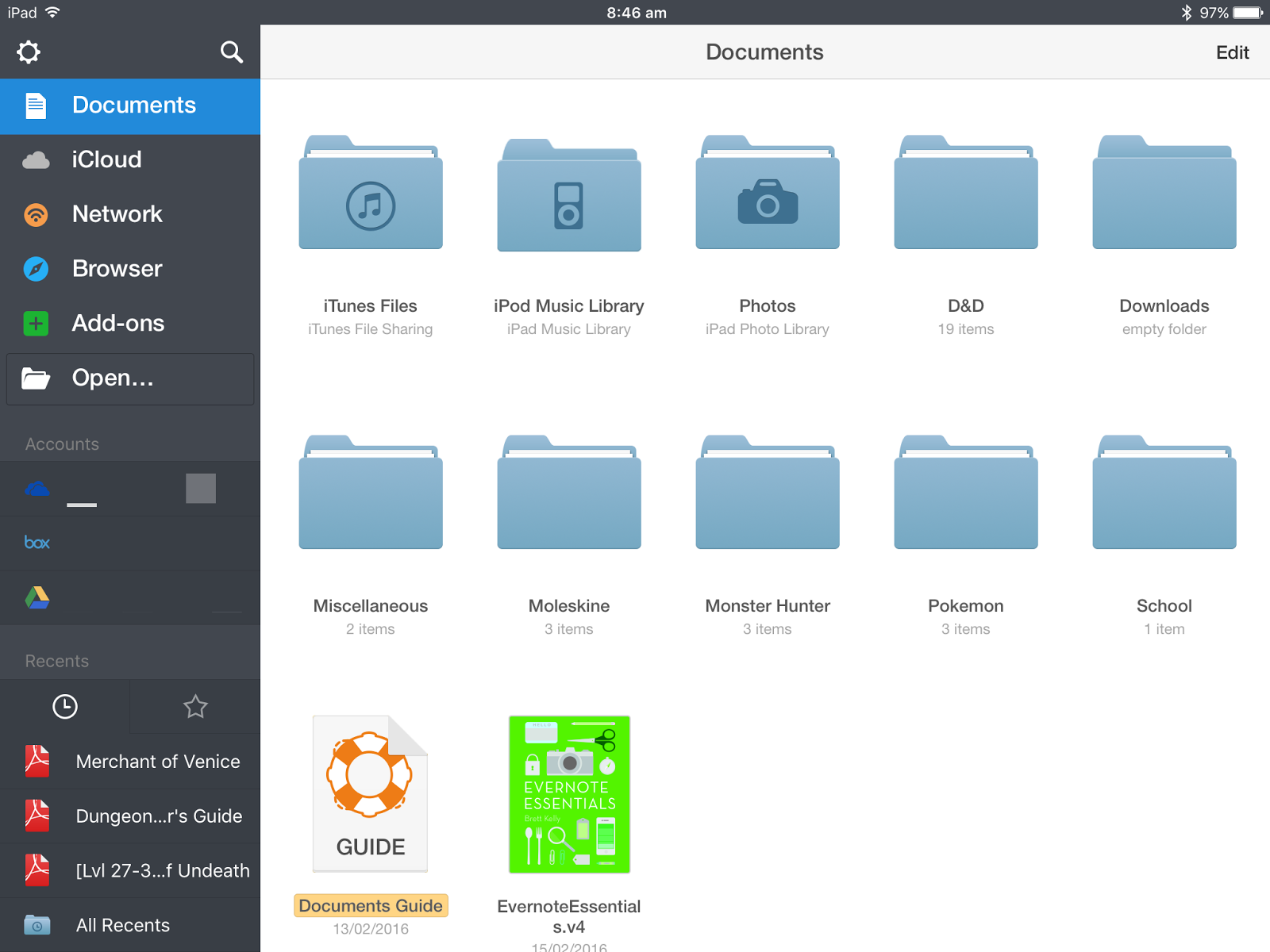
Documents by Readdle is free, and you can get a premium upgrade which unlocks annotation features.

Documents has a clean interface, and is fast and easy to use. You can get files into it by plugging your device into your computer and transferring via iTunes, through cloud storage, downloading from the internet, or sending it to the app over WIFI.
You can put your files into folders to clean it all up and make it all organised, and it also automatically imports your music library and photos. You can star and colour code files to make sure you can find them quickly.
Documents can view Powerpoint, Office, PDF, text and many other different types of files. You can also search inside the files, which allows you to cut down on the time it takes you to find what you are looking for.
Documents is a great app, and I suggest that you try it out!
Thanks for reading!
Feel free to comment below!


Pokémon Sun and Moon announced!

Pokémon Sun and Moon have been announced!

As the 20th anniversary of Pokémon goes on, Pokémon Sun and Moon have been announced for the Nintendo 3DS, and are planned to be released in late 2016. The games are set in a new world with new Pokémon.

That’s all we know so far, but I can’t wait for the games to come out, and for more info!

Thanks for reading!

Feel free to comment below!
Automatically Move Tasks from Wunderlist to Evernote

Evernote and Wunderlist are both great tools, and I use them both a lot. I make tasks in Evernote, but I want to have them automatically appear in Wunderlist. Zapier is a great tool (a bit like IFTTT) which allowed me to do it.

First, you need to get a Zapier account. Then, click on make a Zap.

With your trigger app, choose Evernote. The trigger should be new note, then link your Evernote account and select it. Next, select the notebook you make your tasks in (for me it is the !Due Today notebook). Test the step, and then your onto the Action app. 
For the Action app, select Wunderlist, and then click on create a new task. Connect your account to Wunderlist, and then you need to set up the task. Select the list you want it in on the first box. Then for the title, select ‘Title’. You can put in a due date if you want, but I usually don’t. If you do not want the task to be starred, leave the Starred box with false in it. If you want it starred, select ‘Yes’. For note, I select ‘Content Text’. When you have done this click continue.
Then click create and continue, and it will test the task. Then name the Zap and you are done!
I hope this helped, and I hope you enjoyed the post!
Thanks for reading!
Feel free to comment below!

Pokémon Item in the Spotlight: Max Revive

The Max Revive is a great item which is very useful in battles.


The Max Revive enables you to revive your Pokémon and give it full health. This means that you can take out the newly revived Pokémon straight away, and use it in battle.

You can buy Max Revives for 4000, and sell them for 2000.

I hope you enjoyed the post and thanks for reading!

Feel free to comment below!
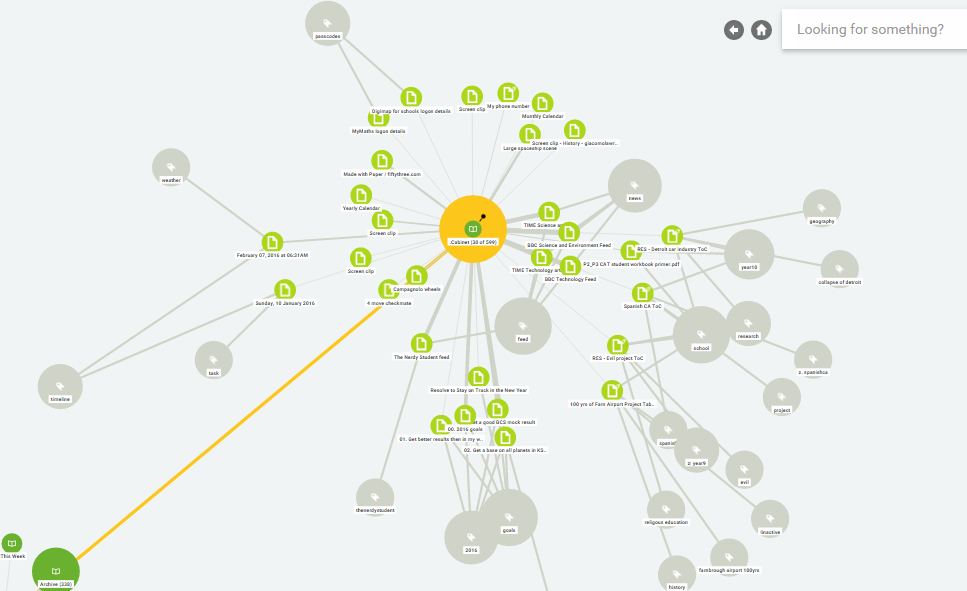
Use Mohiomap to Visualize Your Data

Mohiomap is a great tool that can connect to Evernote, Dropbox, Google Drive and Box.

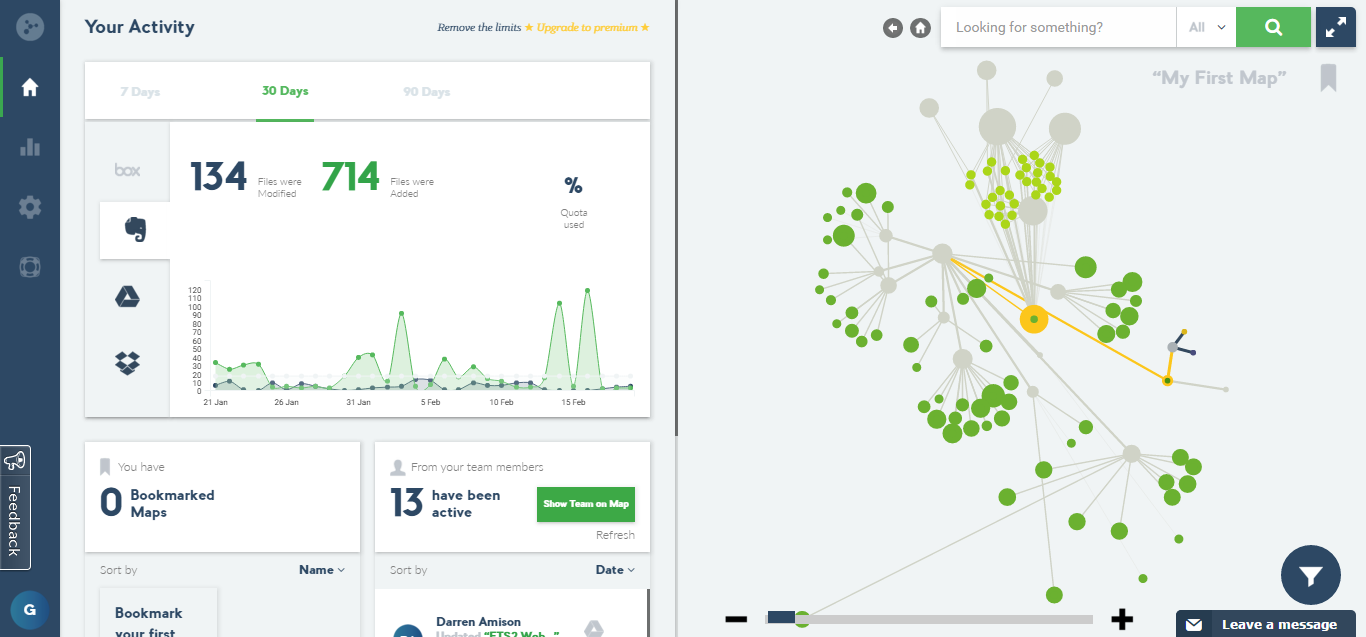
Mohiomap’s just updated, so now it shows you more advanced features, such as notes created and notes edited on Evernote.

You can also see the same thing for Box, Google Drive and Dropbox. Mohiomap allows you to see your data visually, as well as sort it. It’s great for seeing connections between notes and tags.

Mohiomap’s a great tool and I recommend that you try it out!

Thanks for reading!

Please feel free to comment below!

Pokémon Item in the Spotlight: Rare Candy!

Rare Candy is one of the most useful items in the game, allowing you to level up your Pokémon!

Rare Candy allows you to level up your Pokémon. Simply select the Pokémon, give it the Rare Candy, and it will level up!

I always save my Rare Candies for when my Pokémon are at a high level, such as level 95, as lots of XP is required to level up your Pokémon to level 100, and using a Rare Candy makes it quick. Don’t use a Rare Candy when your Pokémon’s XP bar is nearly full, as this means that all the XP has gone to waste.
Thanks for reading!
Feel free to comment below!

Moleskine Hard Case

The Moleskine hard case is a great piece of kit which you can store your spare pencils, refills, pens and more in.


The Moleskine hard case I got is orange. It has a strap to close it, and the outside has a nice feel. The inside is made out of velour.

The case fits two Moleskine pens and pencils, and also fits a Moleskine sharpener and rubber, along with spare ink for the ballpoints. Its useful for keeping all your Moleskine stuff together, and always having them on you. It looks good and feels good.

The hard case is great, and it is made of good quality material. I would recommend you get one if you like Moleskine stuff.

Thanks for reading!
Feel free to comment below!

Pokémon in the Spotlight: Alomomola!

Alomomola is a Water type Pokémon, and can be found in Generation V games and later.

Alomomola is a very good Pokémon due to its high defense, HP and its great typing.

– Stats

StatRange
At Lv. 50At Lv. 100
HP:165
225 – 272440 – 534
Attack:75
72 – 139139 – 273
Defense:80
76 – 145148 – 284
Sp.Atk:40
40 – 10176 – 196
Sp.Def:45
45 – 10685 – 207
Speed:65
63 – 128121 – 251
Total:470 Thanks to Bulbapedia!
  • Minimum stats are calculated with 0 EVs, IVs of 0, and a hindering nature, if applicable.
  • Maximum stats are calculated with 252 EVs, IVs of 31, and a helpful nature, if applicable.
Alomomola has very good stats, especially defense and HP.

– Suggested moveset

  • Wish
  • Protect
  • Toxic
  • Scald
Wish allows Alomomola to heal itself, along with other teammates, which can get you out of a tricky situation. You can use Protect to safely heal with Wish, and Toxic allows Alomomola to nibble away a Pokémon’s health, and stops stall wars. Scald can burn attackers (it has a 30% chance), and can allow Alomomola to take out Grass type Pokémon which would pose a threat to it.
Alomomola is a good Pokémon, and I would recommend you see how it does in your team!
Thanks for reading!
Feel free to comment below!

Get Free Google Drive Space Today!

You can get free Google Drive space today, as it’s safer internet day!

Simply go onto Google, and click on the link below the Google logo which says ‘Stay safe online with a 2-minute Security Check-Up’. After you have completed the check up, two gb more Google Drive space will be yours!

Thanks for reading!

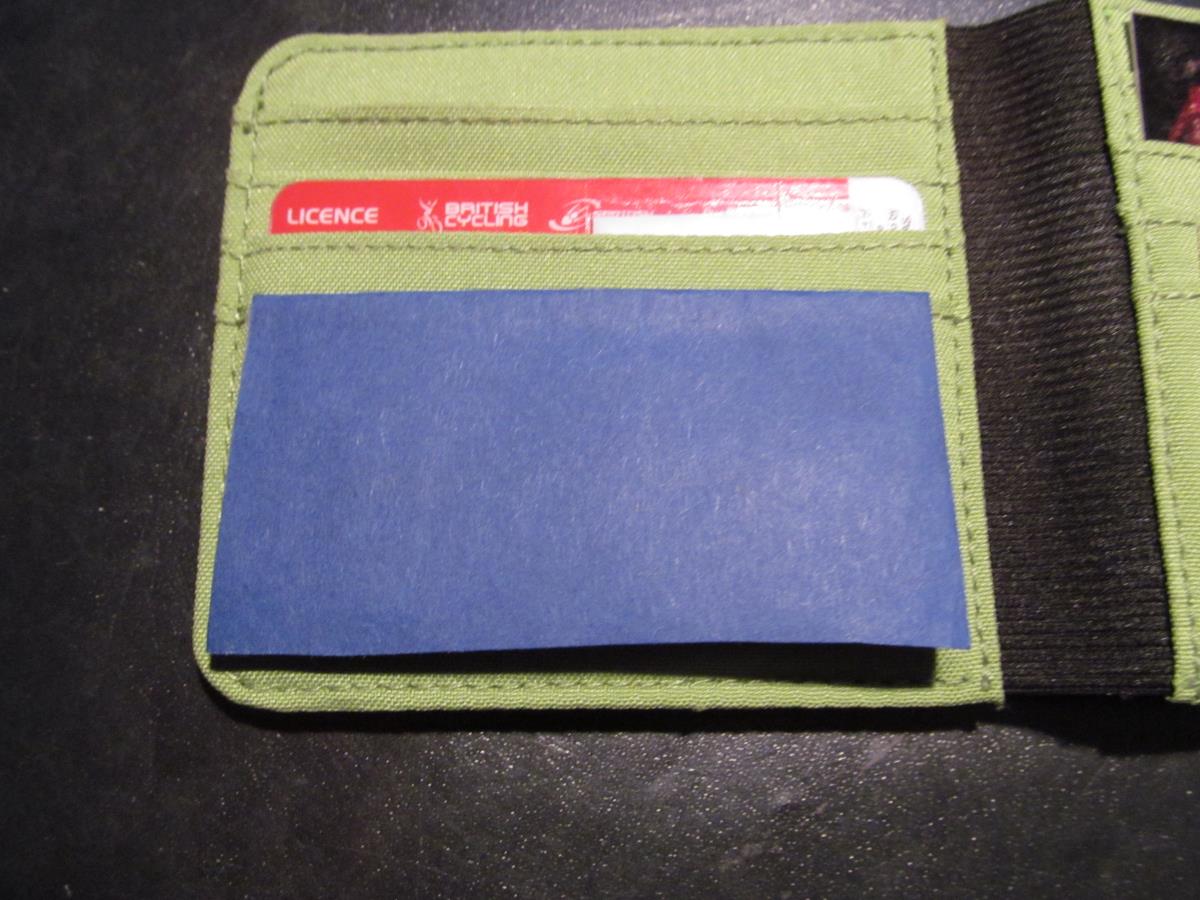
Moleskine Wallet Coin Container Hack

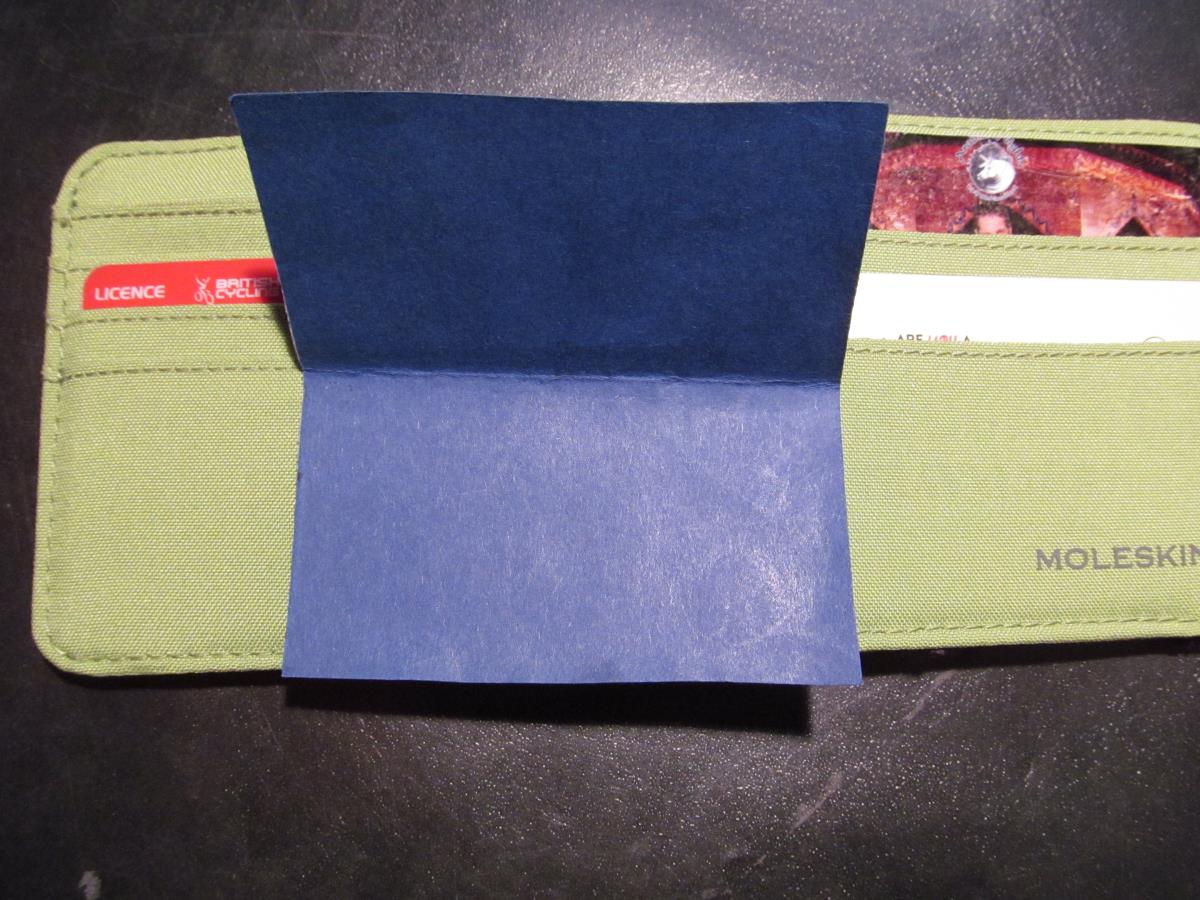
This hack is a simple, quick and easy hack that will allow you to keep coins in your Moleskine wallet without losing them.

https://gyazo.com/bd3209794645cfe3b8d85a57b5969821


All you need is:

  • Paper or card
  • Scissors

Cut the card so that it is twice the height of the card pocket in the wallet. Then, fold the card over in half. You can slip the other half of the card in pocket, and then fold over the other half. Then put the coins inbetween the outer pocket and the card. When you close the wallet, the flap will be kept flat.

https://gyazo.com/a9c4c9cee55346d145c3462bf0b3dcc1

This is a quick and easy hack, and I hope it helped you!

Thanks for reading!

Feel free to comment below!
Advertisement